Turn your drawing or floor plan into a 3D home you can explore.
Upload a hand sketch, PDF, scan or photo of your plan. Walk through it in 3D, check sizes, then buy a floor to furnish and edit it.
- Keep editing it, no subscription
- Nothing to install
If your account qualifies, your first one-floor build is free to view in 3D. Editing starts at $4.99 per floor, paid once.
Drop your floorplan here
A PDF, an image or a photo of a paper plan. We read its scale and mark any size we can't confirm.
Start with your floorplan
A photo of a paper plan works. We read the sizes from its scale bar.
Take the photo here. To move furniture, finish on a computer or tablet.
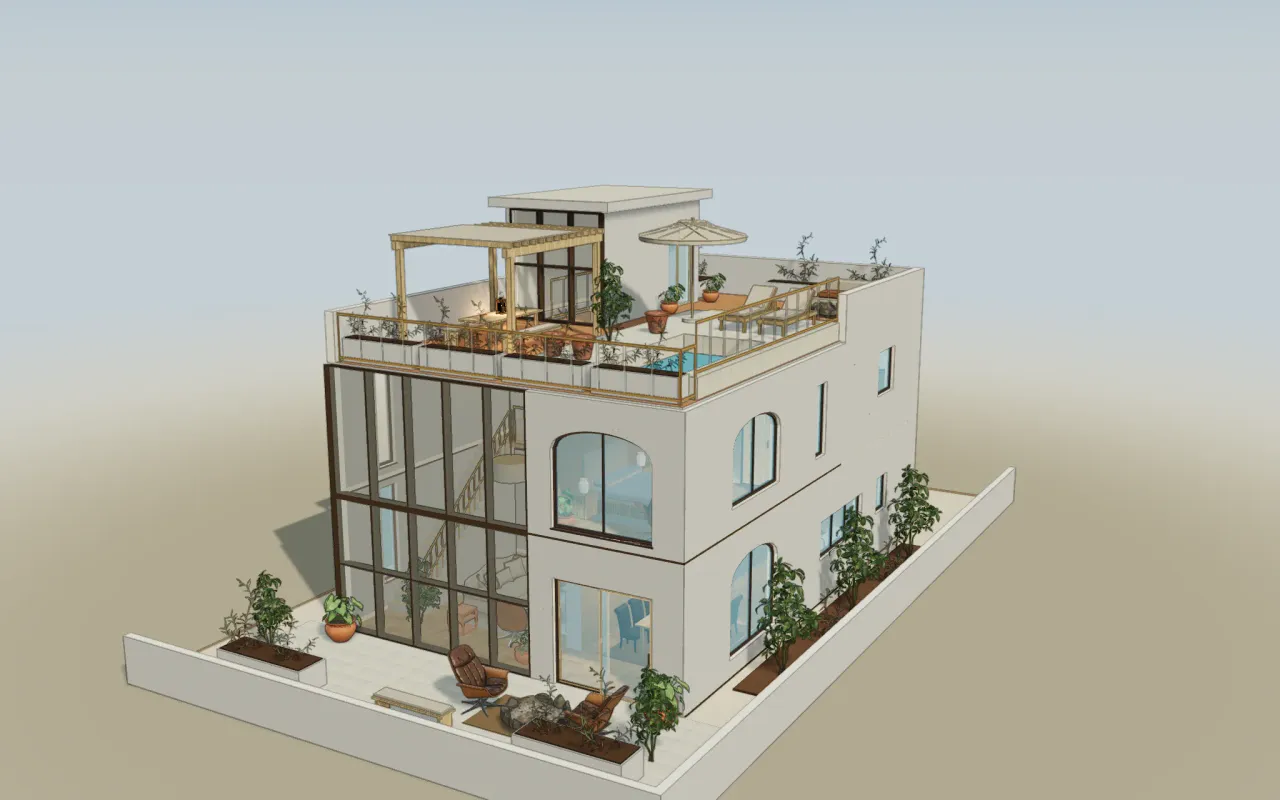
A real notebook sketch, built to its written measurements.
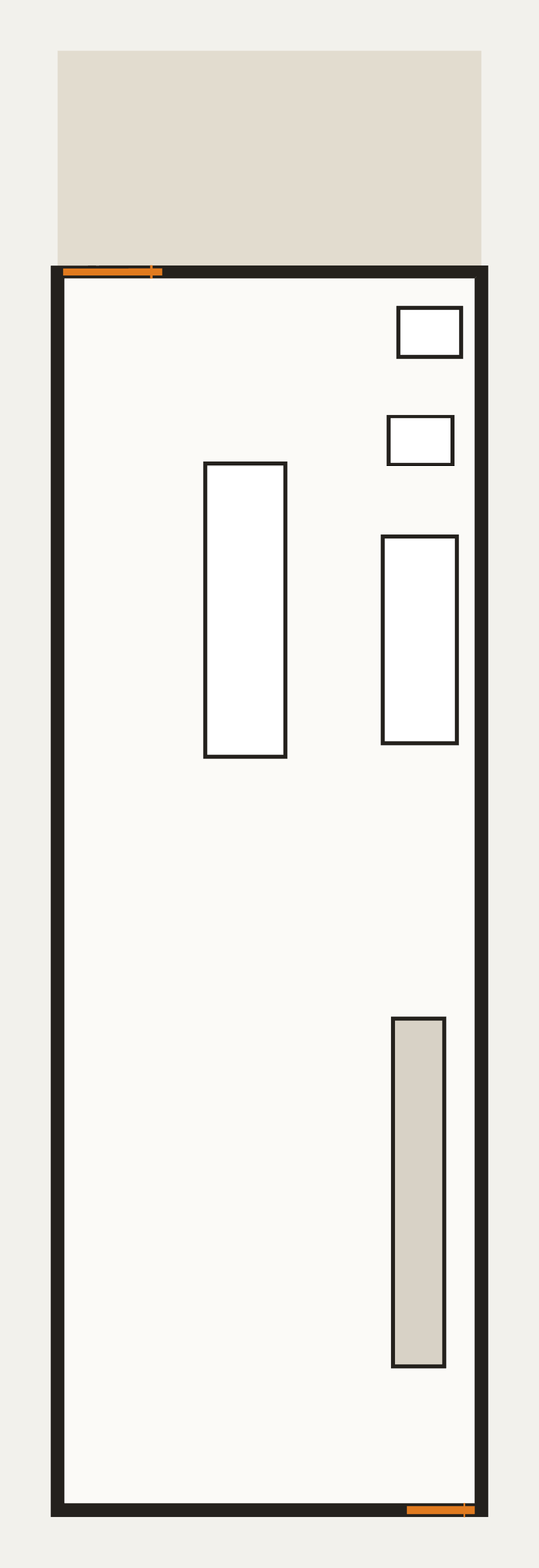
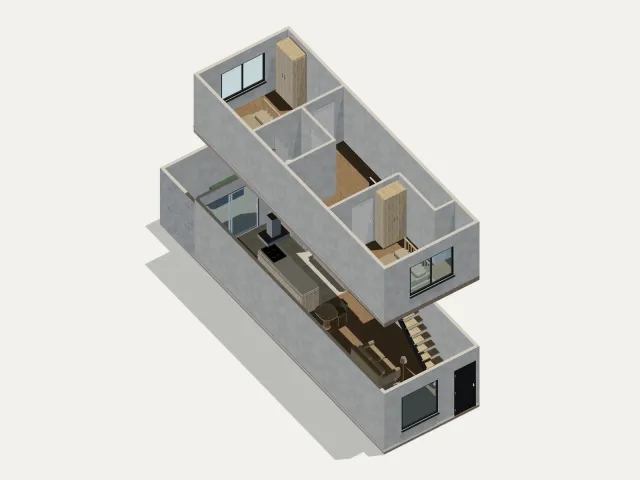
The sketch draws the house about 2.5 times too short for its own numbers, so the model takes its size from the written measurements, not from the drawn walls. The upper floor is inferred.
Read how it was builtWritten on the sketch
- Width
- 3.77 m
- Depth, without the terrace
- 11 m
- Beside the stairs
- 3 m
- Left of the island
- 1.33 m
- Island
- 2.57 × 0.68 m
- Wall counter
- 1.80 × 0.62 m
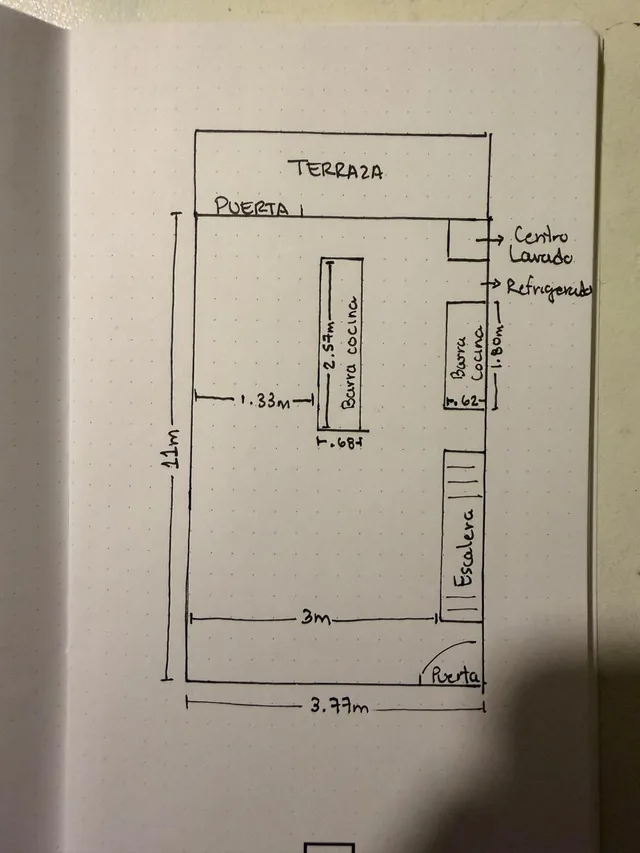
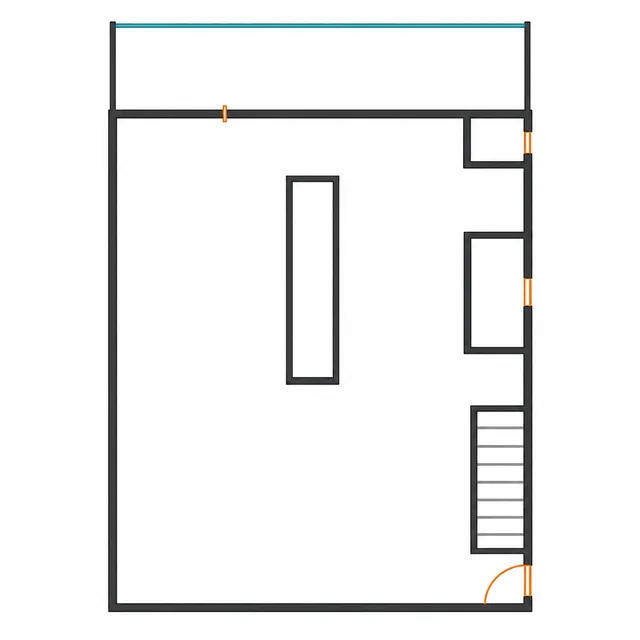
- Hand sketchFrom the customer
- Normalized: proportions as drawnAI generated
- Built to the written 3.77 by 11 mTop view of the 3D model
- Refined model, exploded viewPrepared by our team with AIUpper floor inferred
What goes in, what comes out.
Three ways to start and three kinds of file to take away. A format you can import is not always one you can export.
Start with
- Upload a drawingRight here, or from New project in the app.JPEG, PNG, PDF, SVG or DXF, up to 25 MiB.Photos of hand sketches work. Convert HEIC to JPEG or PNG first.
- Open a building modelFrom New project. Counts as one model import.IFC, RoomPlan, glTF/GLB, Blender 4.5 (.blend), SketchUp, OBJ, FBX, STEP, USDZ and more, up to 64 MiB.IFC and Apple RoomPlan files can open as walls, doors, windows and slabs you can edit when their shape can be verified; anything else arrives as an object you can move and scale. No Revit .rvt files: export IFC.
- Add a 3D objectIn the editor, choose Import model.The same formats as a building model.It arrives as an object you can move and scale inside your home. For an OBJ, choose the units: the file does not store them.
Take away
- Plans, images and dataSVG, PDF, PNG, JPEG and WebP. Data as JSON, CSV or XLSX.With a paid floor
- 3D and ARGLB, glTF, OBJ, DAE, STL, 3MF and USDZ.With a paid floor
- CAD and BIMDXF, DWG, SKP, IFC and STEP.Pro or Studio
Ask for a change. Keep what you like.
Try three simulated requests on the sample duplex. Preview, keep or undo, then compare versions. This demo is scripted. In your own home, you make these changes by hand once you buy a floor.
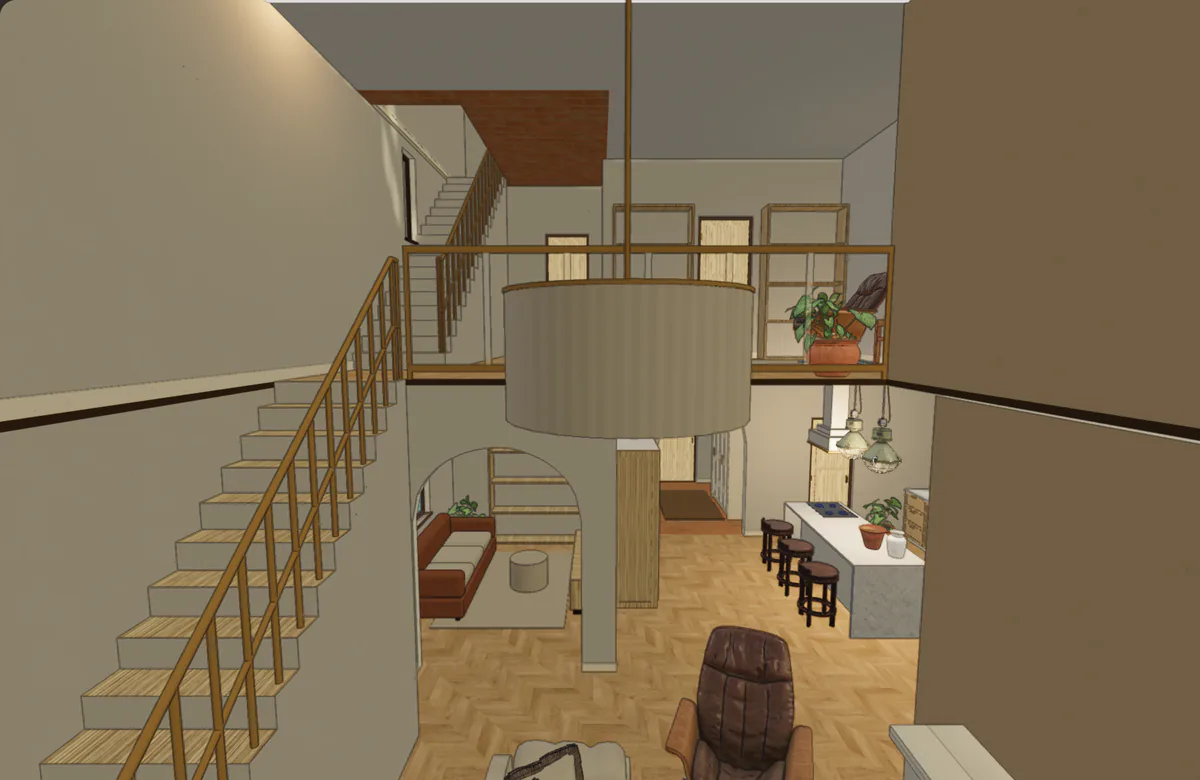
The plan and the house are one model.
The sample duplex as the editor draws it: its ground-floor plan, then the same model opened up floor by floor. A size on the plan is the same size in 3D.
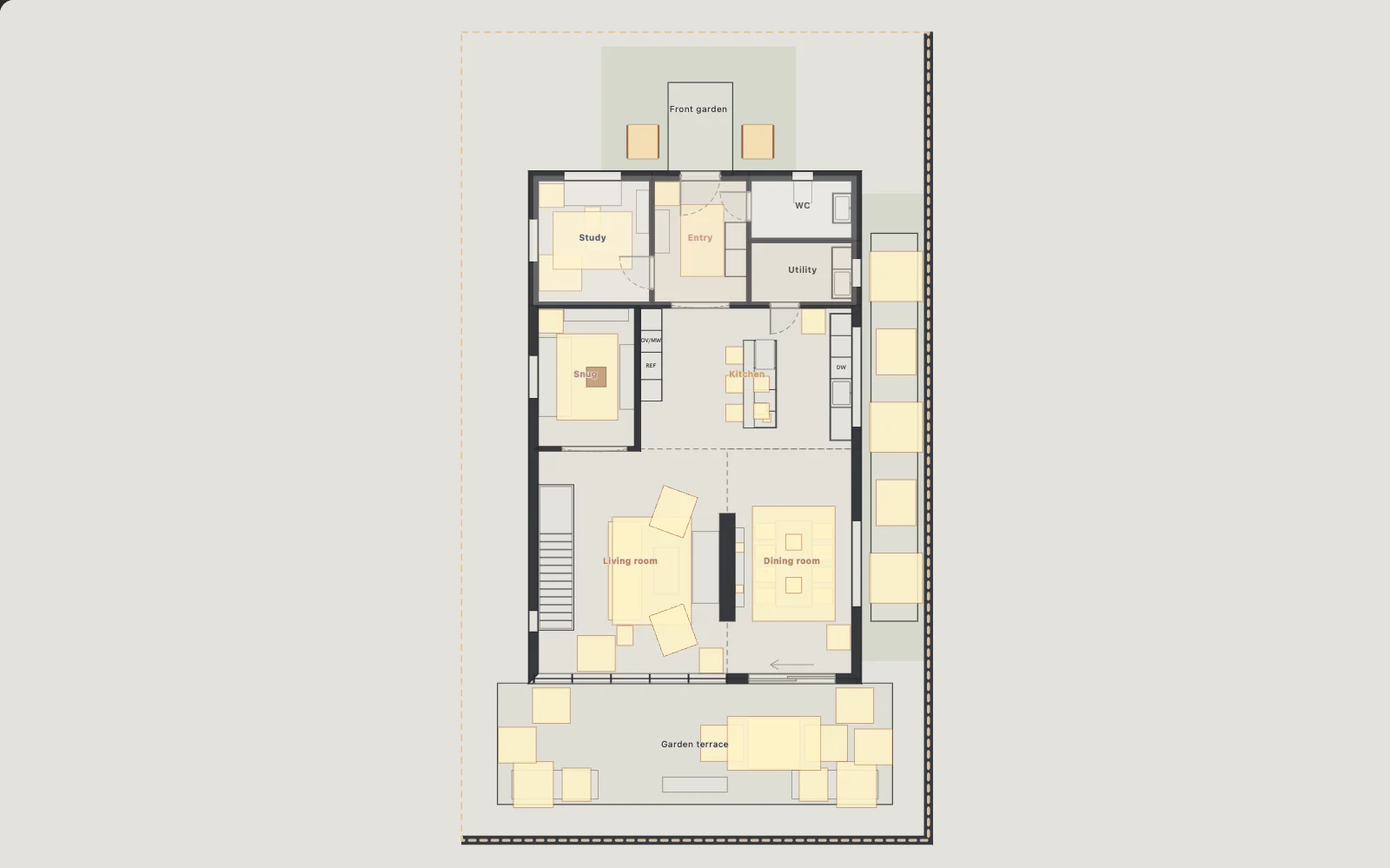 9.0 m14.0 m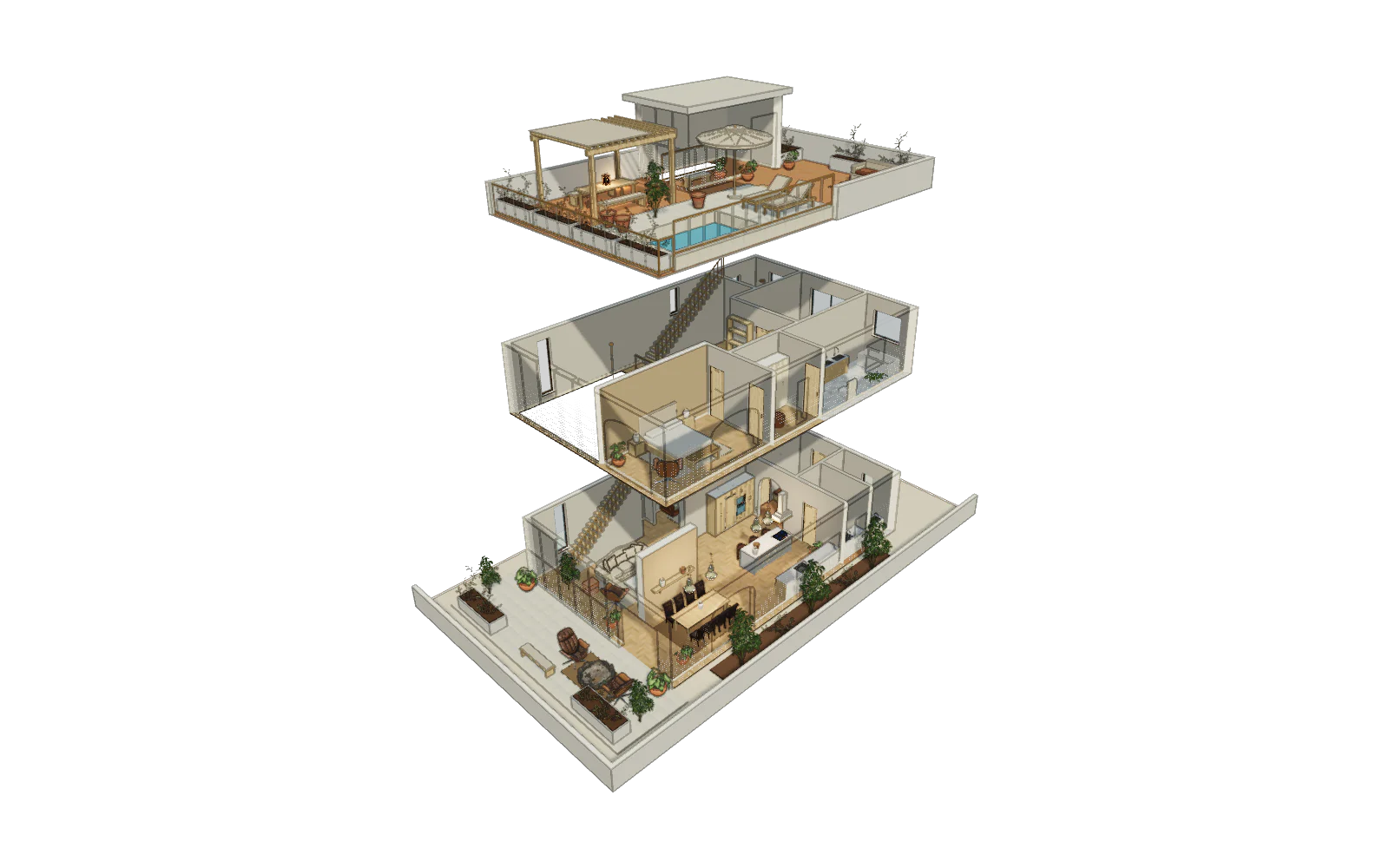
- 9.0 × 14.0 m footprint, to the middle of the walls
- Three floors storeys of 3.3, 3.1 and 3.0 m
- 5.40 × 6.40 m living room, 34.6 m²
Both pictures are captures of the editor’s own views of the sample duplex, not photos or AI images. The duplex is an authored sample, not a converted plan.
Open the sample in 3DWhat are you planning?
Start with the layout you need to understand.
Measure, share, render.
Know what fits before you buy the sofa.
Sizes read off a drawing are approximate, and the model says so. Give it one known length and it has a dimension to work from.
- Measured and approximate sizes are labelled, never mixed up.
- Approximate edges are drawn dashed, so you can see them at a glance.
- When a drawing is unclear, the app tells you what to check.
| Room | Width | Depth | Area | Sizes |
|---|---|---|---|---|
| Living room | 5.40 m | 6.40 m | 34.6 m² | Measured |
| Kitchen | 6.10 m | 4.00 m | 24.4 m² | Measured |
| Dining room | 3.60 m | 6.40 m | 23.0 m² | Measured |
| Main bedroom | 3.60 m | 5.40 m | 19.4 m² | Measured |
| Bedroom | 3.70 m | 4.60 m | 17.0 m² | Measured |
| Study | 3.30 m | 3.60 m | 11.9 m² | Measured |
Talk about the same room, not the same drawing.
Send your home to a partner, a contractor or a buyer. They open it in their browser and leave a note on a room or a wall.
- Send a view link, or invite people to edit with you.
- They walk through it in any browser.
- Your homes stay private unless you choose to publish them.
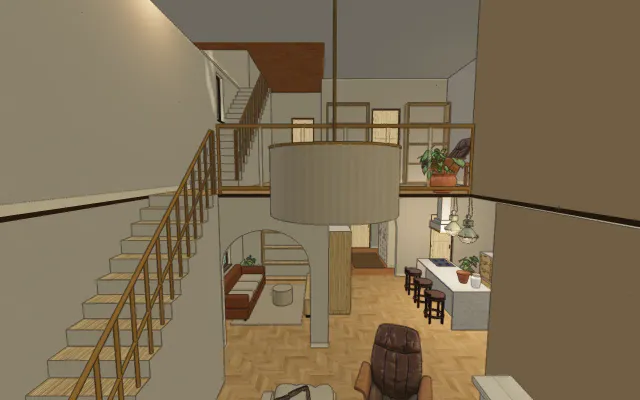
From a 3D view to a photo you can send.
Frame the room you’ve designed and see it with realistic light and materials. Each image stays linked to the version it came from. Optional AI images use separate prepaid credits.
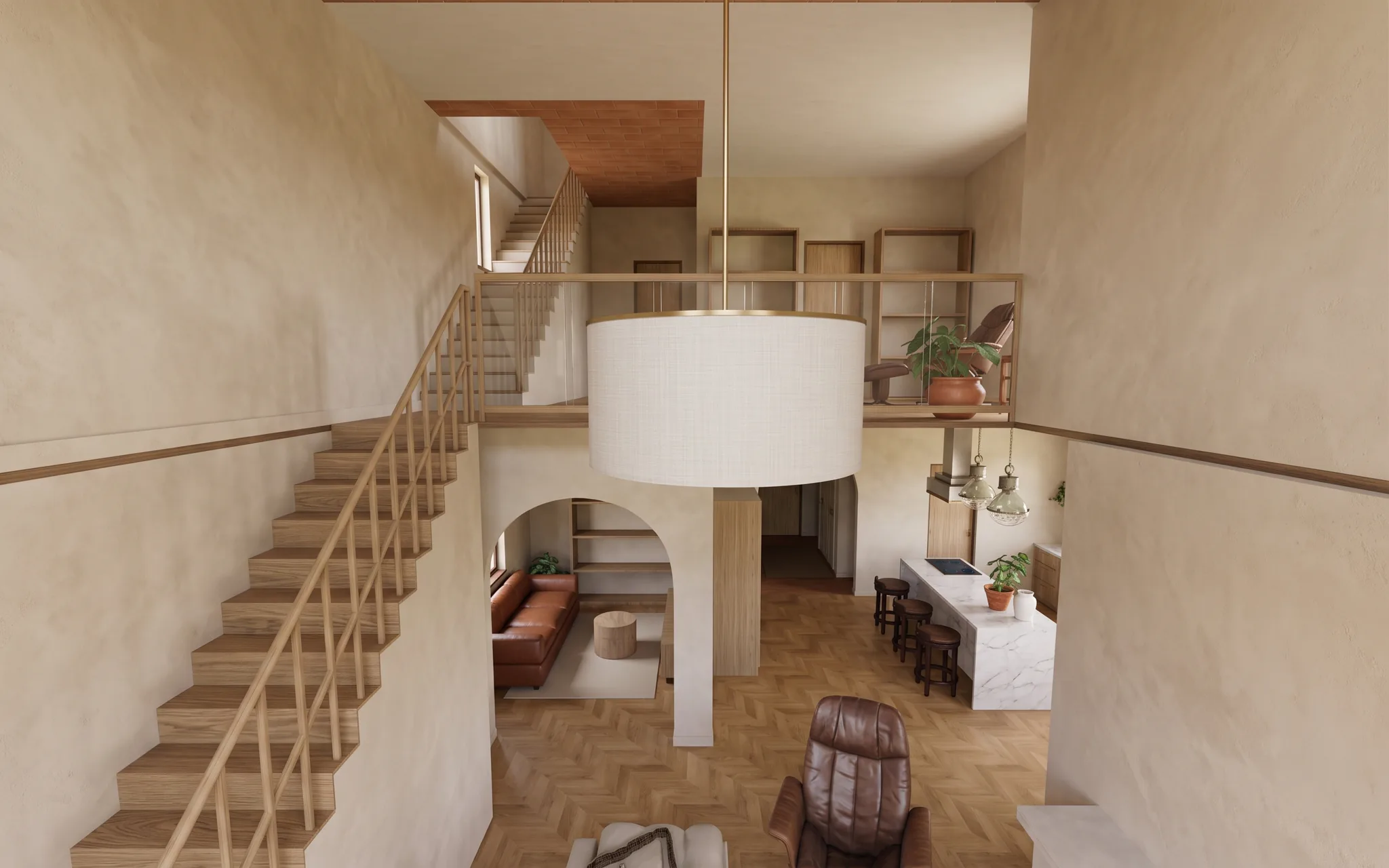
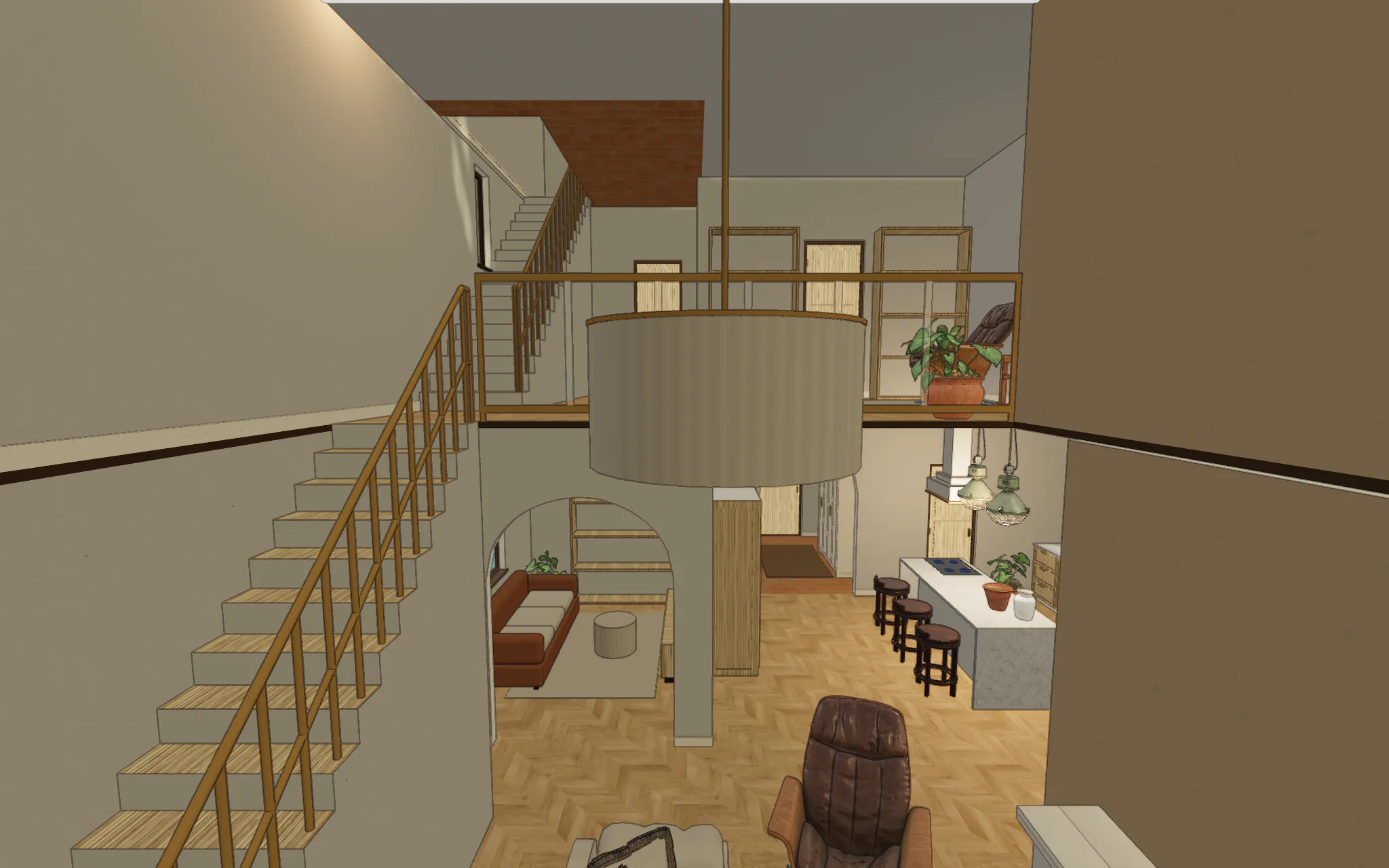 3D viewPhotoreal image
When you need exact control, open the manual editor.
The same model, with the tools professionals expect. Draw walls, place doors and windows, add stairs and roofs, trace over a scan and stack levels. Switch between simple tasks and full tools. Both edit the same home.
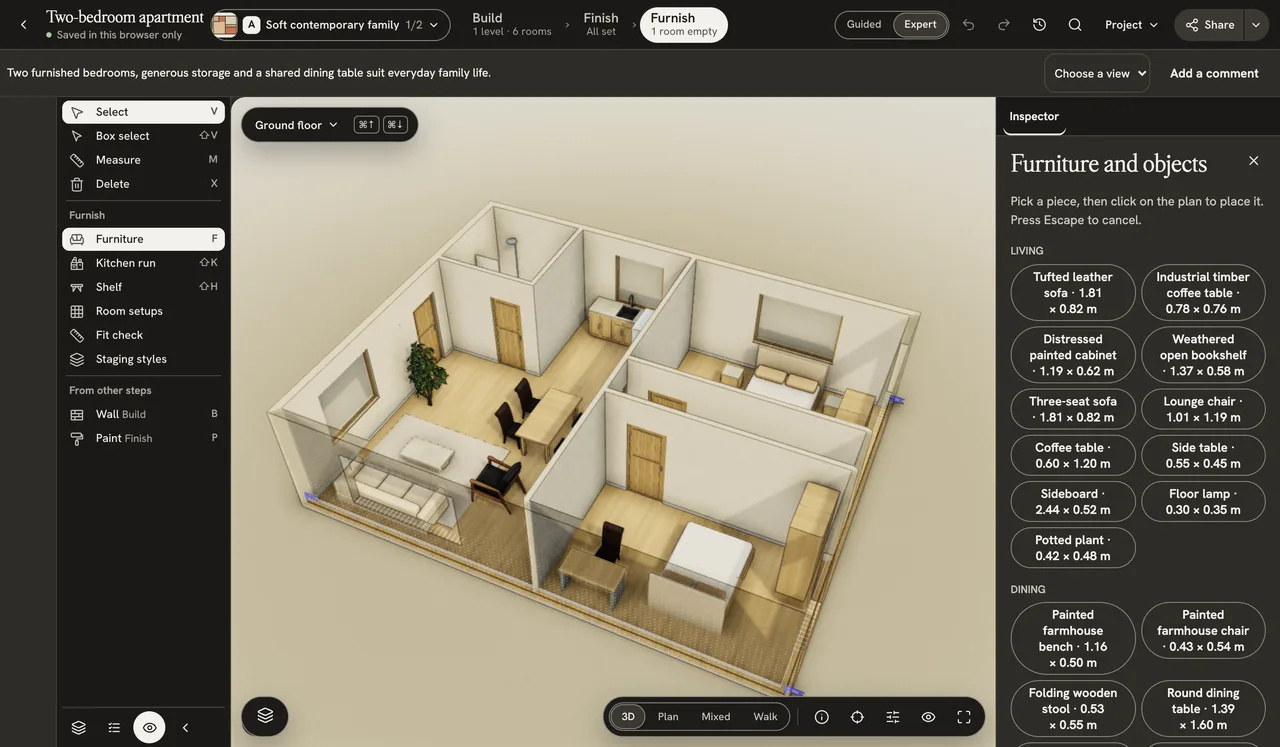
- Chain walls
- Doors and windows
- Stairs and roofs
- Kitchen runs and shelves
- Slabs, ceilings and columns
- Furniture library
- Paint floors and walls
- Rooms with name and area
- Levels, stacked or exploded
- Trace a guide image or scan
- Measure and dimension
- Plan, 3D and walkthrough
- Pipes, ducts and HVAC
- Fences and terrain
- Command palette and shortcuts
- Undo, redo and revisions
- Snapshots and exports, CAD on Pro or Studio
Homes people have published
Open any of them in 3D. No account needed.
Build and view an eligible first floor free. Pay to edit it.
If your account qualifies, your first one-floor build is free to view in 3D. Editing costs $4.99 per floor, paid once, with manual editing, standard furniture, private sharing and plan, image, data and 3D exports.
Questions before you upload.
What can I try for free?
If your account qualifies, your first one-floor project is free to build and view in 3D: upload a plan, look around, and see rooms and measurements. Editing your own home costs $4.99 per floor, paid once, or a plan. A first upload with more than one floor, and every build after it, needs floors bought first; a failed paid build returns the floor. The sample homes are free to edit, no account needed.
Will my floor plan be public?
Your home stays private unless you choose to publish it. Cancellation does not publish your project.
How accurate are the sizes?
Walls, openings and rooms are reconstructed from the drawing, so sizes stay approximate. A known length helps the model read the scale; check the scale status it reports.
My plan is a photo or a scan. Will it work?
A listing PDF, a scan, or a JPEG or PNG photograph of a hand sketch or floor plan taken on a phone all work. Convert HEIC to JPEG or PNG first. Some drawings cannot be converted; the app reports the reason.
How long does it take?
One floor usually takes several minutes; large or hard-to-read drawings take longer. The app shows each step as it finishes, and you can close the tab once the build has started.
Can I use it on my phone?
Use a tablet or computer to place and move furniture. A phone can review a project and change finishes.