INK TO BRICK vs GPT-6 Astra Ultra for a house in Blender
Choose INK TO BRICK first when a source floor plan should determine the rooms, walls and openings before Blender work begins. Choose Astra-first when direct scripted authoring in Blender and bespoke scene development matter more than recovering a drawing. The practical route can combine both.
Where each one fits
Choose INK TO BRICK if
A source-grounded reconstruction you can inspect in the browser before exporting GLB, glTF, OBJ or another downstream format.[5]
Choose GPT-6 Astra Ultra with Blender if
Flexible Blender authoring through its Python API or a Blender MCP server, with the ability to inspect renders and iterate on custom scene detail.[4]
Task by task
See the editing workflow
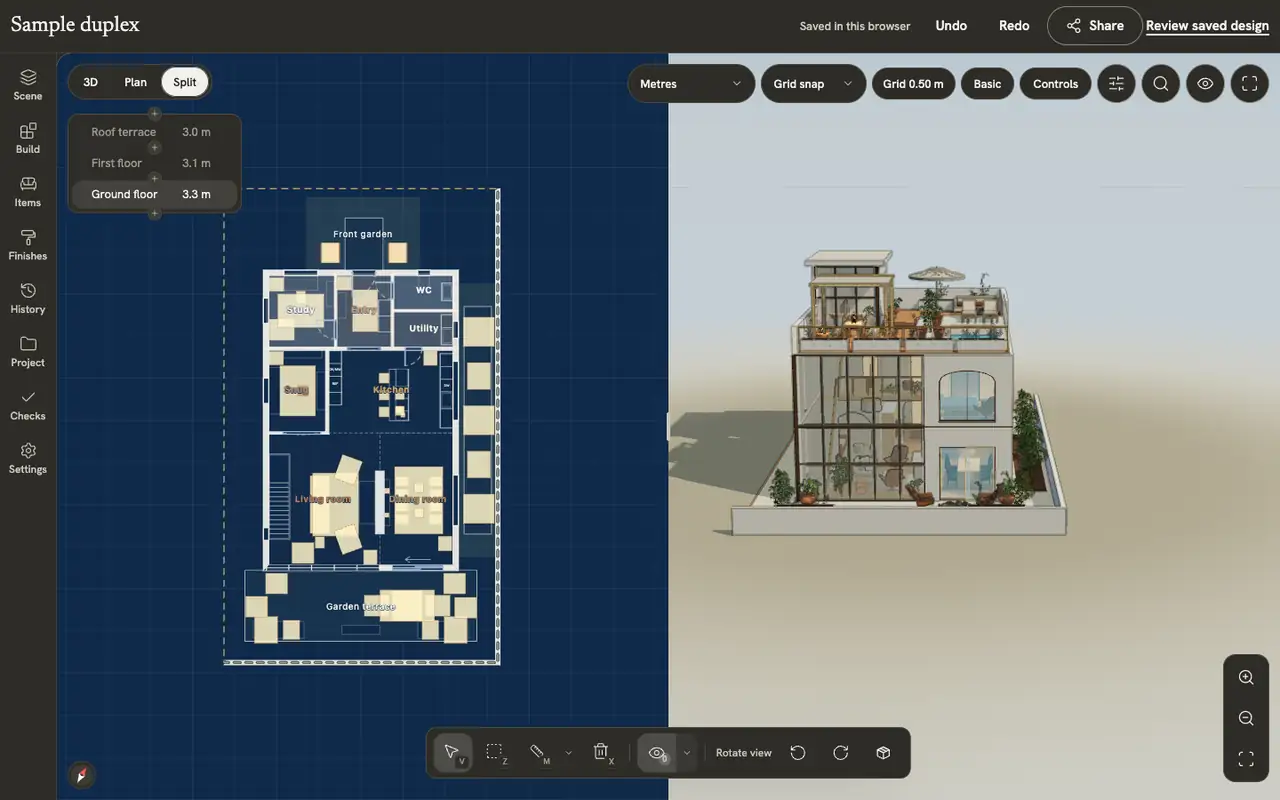
For an API or model-file workflow, compare the review interface as well as the file. These captures show the expert tools and linked plan/3D views on the authored sample duplex. Imported geometry needs a separate check of which objects and controls remain editable.
The demonstrations use native elements in the sample duplex authored in INK TO BRICK.
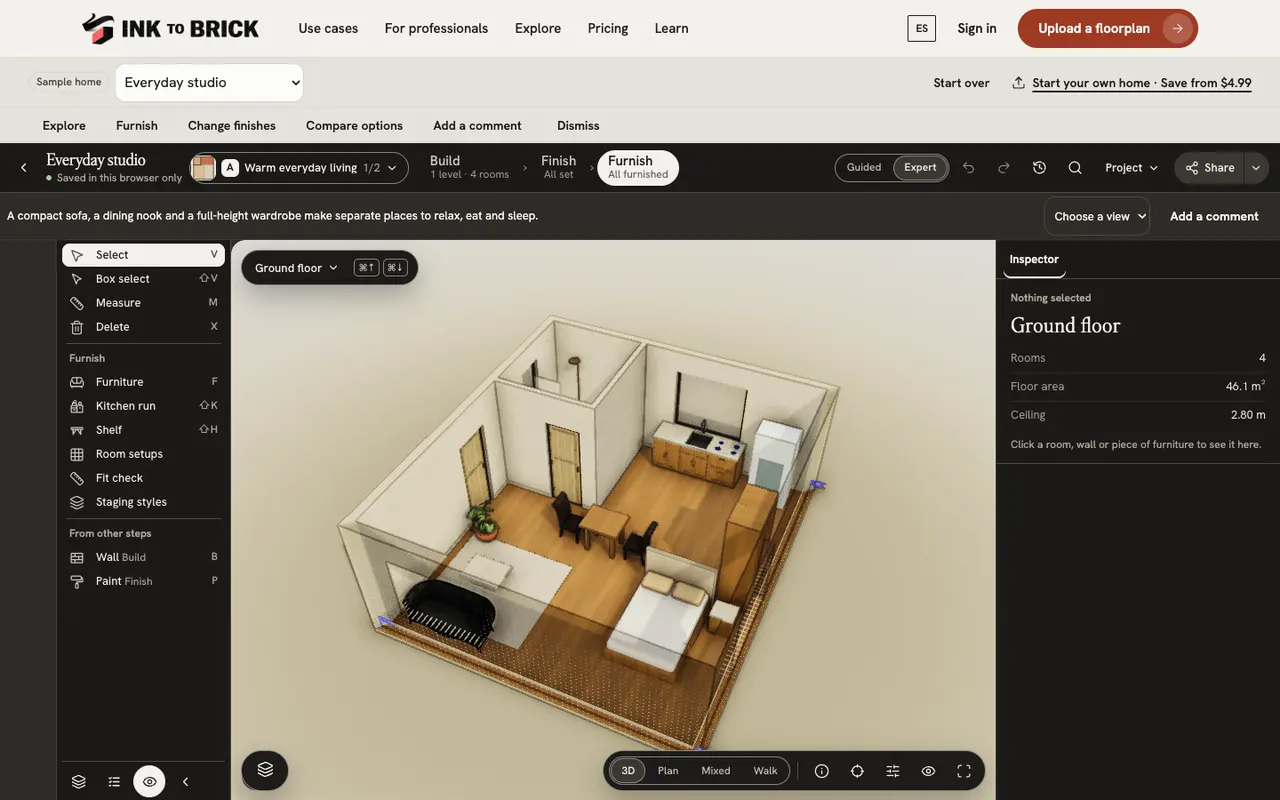
The editor at a glance
Build, Finish and Furnish, Guided and Expert, the option menu, inspector, view controls and keyboard help.
Views and screenshots
Switch between plan, 3D and split, change how walls and levels show, preview and walk through the home, and save a picture of the view.
A subscription and metered tokens are different units
OpenAI documents the API model as gpt-6-astra with reasoning efforts through max. “Ultra” can name a client preset, but it has no separately documented flat API price. Token cost depends on cumulative input, cache writes, cached input and output, while a single request above 272,000 input tokens uses higher long-context rates.[1][2]
Compare incremental and first-time cost separately. An existing INK TO BRICK or Codex subscription may cover work within its allowance, while OpenAI API tokens remain metered usage even when account credit was purchased earlier. A new workflow must also account for Blender Python or MCP setup, retries, compute, verification and the refinement work both routes still need.
The strongest workflow may use both
Reconstruct and inspect the source plan in INK TO BRICK, export GLB, then use Astra with Blender Python or a Blender MCP server for bounded scene tasks. That keeps the source comparison before the creative modeling loop and gives the agent a file that can be reopened and checked.
Neither route turns an uncertain drawing into survey truth. Verify dimensions, topology, object hierarchy, materials and unintended changes in the destination, and use qualified professionals for structural, code and construction decisions.
Review the evidence, then try your source
Check a wall or opening the rendering could hide, not just the final picture. The Isla de Pascua story combines original SketchUp and plan dimensions with MCP/AI refinement using photographs and video; it is a visual interpretation. The duplex is an authored sample demonstrating editor and presentation work, not proof of automatic reconstruction. Use these examples to choose the review you need to perform on your own drawing.[8][9]
Try your clearest one-floor plan. You see your home in 3D before you pay, and a plan is needed to edit it. A failed build goes back to your monthly builds. Check the required export and final checkout first. Pro and Team include MCP; Team includes API access. The account, editor and billing application currently use English.[7]
Sources and scope
The cited vendor pages support the capability comparison. Any direct demo observation is identified in the article; this is not a matched-source accuracy benchmark. Product details can change. Unavailable sources are identified, and older claims are not treated as current limitations. Check the linked plan, price and export details.
- OpenAI: GPT-6 Astra model
- OpenAI API pricing
- OpenAI: connectors and remote MCP servers
- OpenAI: architectural visualization with Astra
- INK TO BRICK: publishing and downloads
- Explore published INK TO BRICK models
- INK TO BRICK: current access
- Isla de Pascua: visual interpretation
- Building the duplex: authored sample